Enabling Data at Rest Scanning
Prerequisites for DARS
- The customer tenant must be running Cyberhaven console version 25.03 or newer
- DARS must be explicitly enabled in the Remote Config
Prerequisites for OneDrive Cloud Sensor
- OneDrive Cloud Sensor setup is handled by SRE only — no config changes needed but must have Cyberhaven Browser Extension version 25.3 or higher. (If you use this sensor with an older browser extension version, then the device information in the event details will be displayed as “Unmanaged”.)
- Audit logging enabled in Office 365 for your organization. The cloud sensor relies on the audit log API to track user activities within OneDrive.
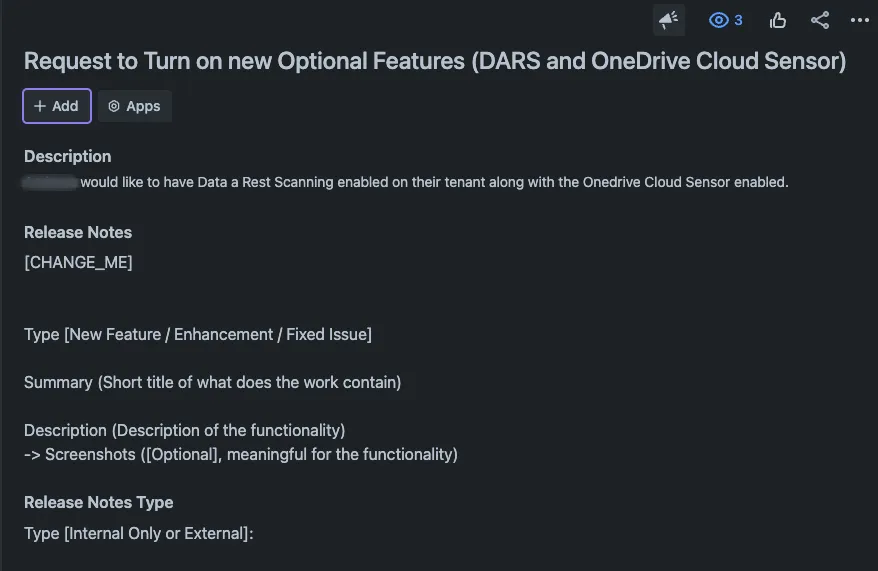
- Open a Jira ticket addressed to the SRE team to request the following as shown below:
- Enable DARS for the tenant
- Enable OneDrive Cloud Sensor
- Create a New Deployment Group
Once SRE completes backend provisioning:
-
Log in to the Cyberhaven Admin Console
-
Navigate to Deployment Groups
-
Create a new group — we recommend naming it something like: (Unless client wants it in existing group - be sure to verify prior)
DARS-TestOneDrive-DARS-Pilot
-
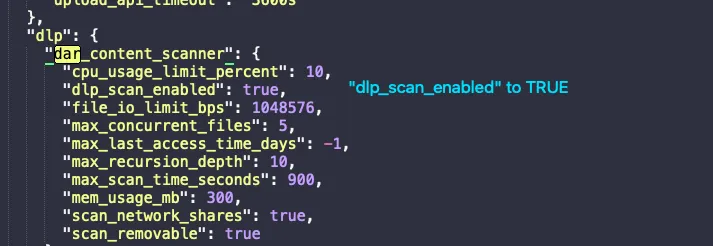
Copy the default configuration from the Default Deployment Group and paste it into a text editor;
In the copied configuration:
Locate the
dlp_scan_enabledsettingSet it to true
-
Paste into deployment group (Only DARS requires a remote config change. The OneDrive Cloud Sensor is managed entirely on the backend by SRE.)
To confirm that Data at Rest Scanning is working:
- Go to the Events tab in the console --> Change 'Event Type' to "Scan Activity"
- Look for events with the user
ch-dar-scanner
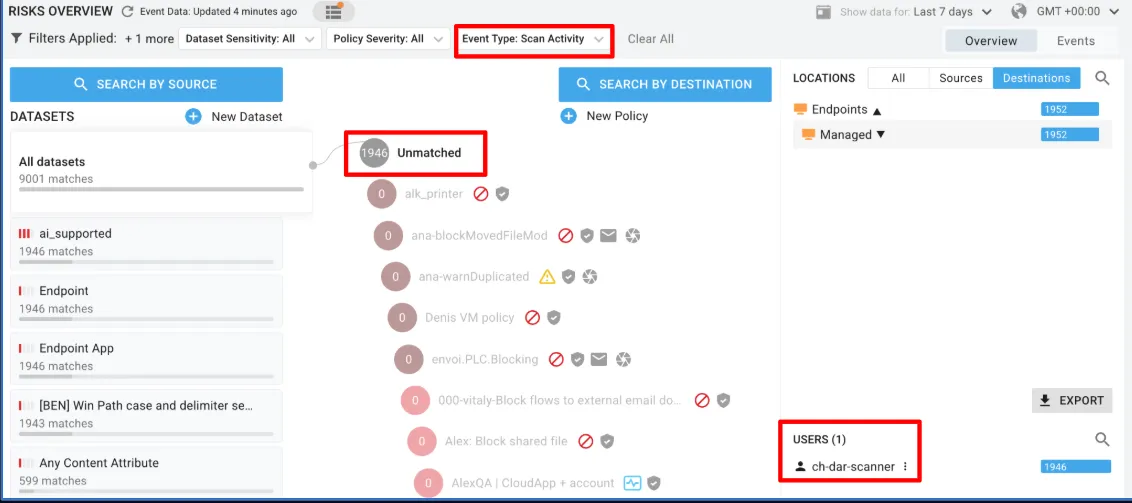
- Ensure and verify Data-at-rest scanning is working before closing ticket.
Feature Documentation: https://docs.cyberhaven.io/docs/2503-march